DRAPI + Keycloak OIDC 登入實作筆記
在本機完整重現 HCL Domino REST API (DRAPI) 透過 OIDC 登入的全套流程,並把每個踩雷點記錄下來。 以 Keycloak 當 IdP 在自己環境跑通一次,建立 OIDC 設定、身分對應、憑證信任與 certstore 的完整實作參考。
文件索引
| 文件 | 內容 |
|---|---|
本檔 README.md |
實作步驟(階段一~六)+踩雷總表+成果 |
環境與架構.md |
測試環境與網路架構圖 |
HTTPS-主機名設定.md |
DRAPI 改用 HTTPS + 主機名(PEM 憑證、Keycloak redirect/CORS 連動) |
憑證信任重現與排查.md |
重點:重現 Error fetching token,證實 DRAPI 對外信任 = JVM cacerts |
certstore/README.md |
certstore.nsf 整合實測:DRAPI/Domino HTTP inbound 可用、outbound 不行;HTTP 需 FQDN |
📐 測試環境與網路架構圖見 環境與架構。
先備知識:DRAPI 的三種 OIDC 模式
| 模式 | 適用 | 備註 |
|---|---|---|
jwt |
只拿得到公鑰的外部 provider | |
oidc |
標準 OIDC provider(Keycloak、Entra ID…) | 需 clientId/clientSecret。本專案用這個 |
oidc-idpcat |
Domino 14+ 的 idpcat.nsf |
需 Domino 14;本機是 12.0.2 故不適用 |
結論:Domino 12.0.2 用
oidc模式可成功走 OIDC,不需要 Domino 14。
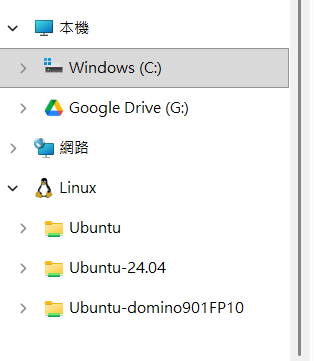
階段一:建立專用 WSL 環境
wsl --version                                   # 需 ≥ 2.4.4 才支援 --name
wsl --install -d Ubuntu-24.04 --name Keycloak-OIDC
階段二:安裝並啟動 Keycloak(在 Keycloak-OIDC 內)
sudo apt update && sudo apt install -y openjdk-21-jdk
cd ~
KC_VERSION=$(curl -s https://api.github.com/repos/keycloak/keycloak/releases/latest | grep -oP '"tag_name": "\K[^"]+')
wget https://github.com/keycloak/keycloak/releases/download/${KC_VERSION}/keycloak-${KC_VERSION}.tar.gz
tar -xzf keycloak-${KC_VERSION}.tar.gz && cd keycloak-${KC_VERSION}
export KC_BOOTSTRAP_ADMIN_USERNAME=admin
export KC_BOOTSTRAP_ADMIN_PASSWORD=admin
bin/kc.sh start-dev
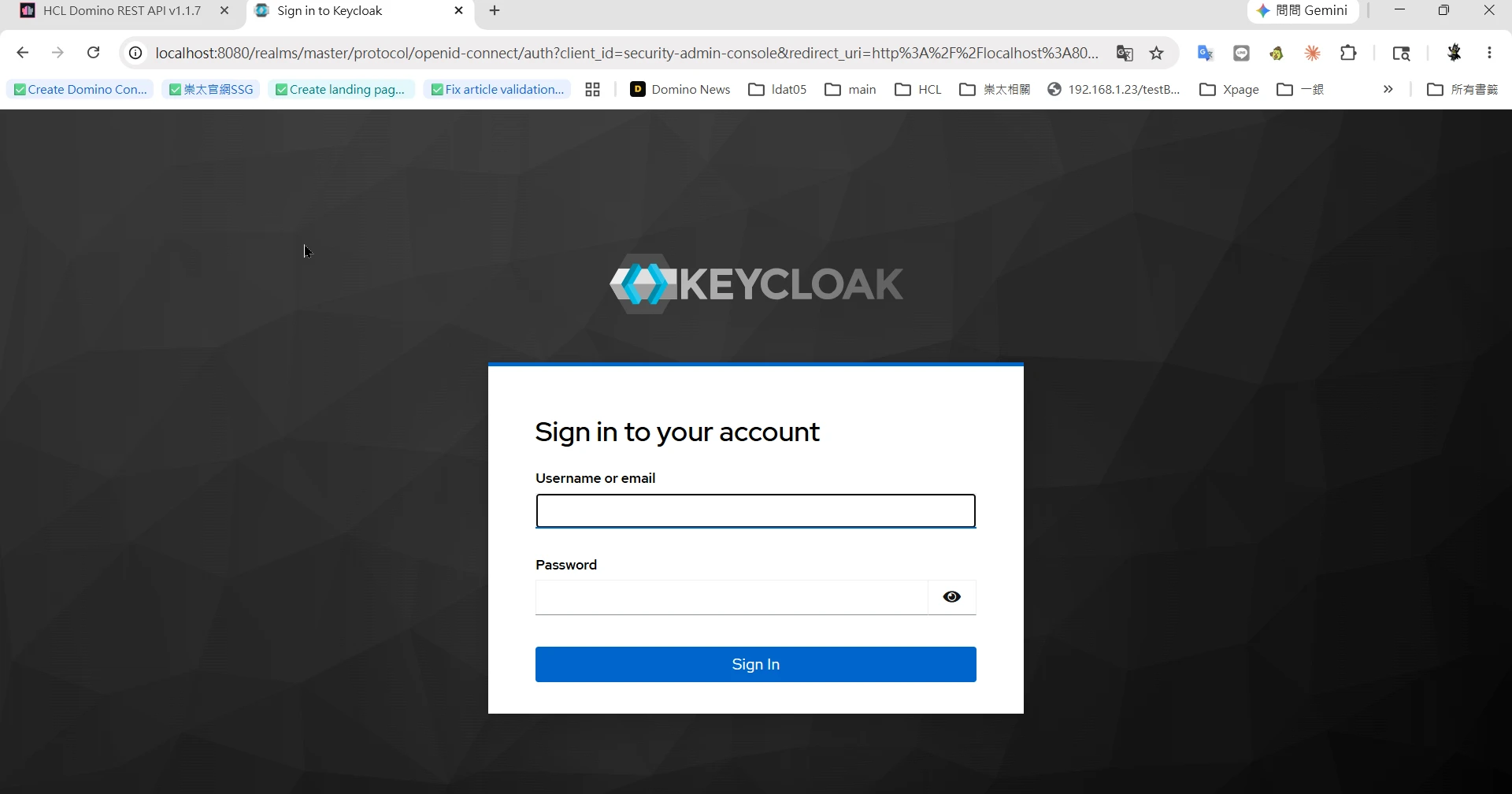
驗收:Windows 瀏覽器開 http://localhost:8080(⚠️ 不要用 0.0.0.0:8080,那是綁定位址不是連線位址)。
階段三:Keycloak 設定(管理台 localhost:8080)
- 建立 Realm:
drapi - 建立 Client Scope
$DATA(Type=Default、Include in token scope=On) - 建立 Client
keepadminui(Admin UI 用): - Client authentication = Off(公開 / PKCE)
- Standard flow = On
- Valid redirect URIs:
http://127.0.0.1:8880/admin/ui/*、http://localhost:8880/admin/ui/* - Web origins:
+ - 建立 Client
Domino(server 用):Client authentication = On,記下 Credentials 的 Client secret - Audience mapper:在
$DATAscope 加 Audience mapper,Included Custom Audience =Domino,Add to access token = On - 建立測試使用者(後續用真實 Domino 使用者對應,見階段六)
⚠️ providerUrl 路徑陷阱:Keycloak 26 的 realm 路徑沒有
/auth前綴(舊版文件才有)。 正確:http://<host>:8080/realms/drapi。驗證:開…/realms/drapi/.well-known/openid-configuration應回 JSON。
階段四:DRAPI 設定(keepconfig.d)
把下列檔案放到 Domino data 下的 keepconfig.d\(本機路徑:C:\HCL\Domino1202\Data\keepconfig.d\),改完 tell restapi quit / load restapi。
{
  "oidc": {
    "keycloak-drapi": {
      "active": true,
      "providerUrl": "http://<WSL_IP>:8080/realms/drapi",
      "clientId": "Domino",
      "clientSecret": "<從 Keycloak Domino client 複製>",
      "userIdentifier": "email",
      "userIdentifierInLdapFormat": false,
      "adminui": { "active": true, "client_id": "keepadminui" }
    }
  }
}
關鍵欄位速覽
| 欄位 | 作用 |
|---|---|
adminui |
讓此 provider 出現在 Admin UI 登入下拉的開關(active:true + 用哪個 client_id,通常 keepadminui)。沒有這段,登入下拉就看不到它(見踩雷點 1)。 |
providerUrl |
DRAPI 後端要連得到的 IdP 位址(抓 metadata、換 token)。連不到 provider 就載入失敗、也不會出現在下拉(見踩雷點 2,不能用 localhost)。 |
active |
啟用此 provider。 |
clientId / clientSecret |
server 端(機密)client,對應 IdP 上註冊的那組。 |
userIdentifier / userIdentifierInLdapFormat |
用 token 的哪個 claim 對應到 Domino 身分(見階段六)。 |
一句話:要在登入下拉看到它 =
adminui區塊(列出它)+providerUrl連得到(載入成功),兩者缺一不可。

🕳️ 踩雷點 1:缺 adminui 區塊 → 導向 /admin/undefined
只定義 oidc provider 不會讓它出現在 Admin UI 登入選項。Admin UI 讀 GET /api/v1/auth/idpList?configFor=adminui 取清單,provider 必須有 adminui 區塊才會被列出。缺了就只剩內建 DRAPI(其 wellKnown 是無法解析的 -build in-),導向變成 http://127.0.0.1:8880/admin/undefined?...。
🕳️ 踩雷點 2(最大坑):providerUrl 不能用 localhost/127.0.0.1
Keycloak 在 WSL、DRAPI 在 Windows 時:
- WSL2 的 localhost 轉發可能只在 IPv6 (localhost/::1) 生效,IPv4 (127.0.0.1) 連不到。
- DRAPI 是 Java,預設把 localhost 解析成 IPv4 127.0.0.1 → 抓不到 metadata → provider 載入失敗 → 不出現在 idpList。
解法:用 WSL 實際 IP。
wsl -d Keycloak-OIDC hostname -I # 例:172.21.200.31
# 在 DRAPI 主機驗證可達(這條等同 DRAPI 的 Java 會走的路)
curl http://<WSL_IP>:8080/realms/drapi/.well-known/openid-configuration   # 應回 200
🔎 與 ADFS 等正式場景對應:本質都是「DRAPI server → IdP 的 server-to-server 連線/解析」打不通。 對方端常見是憑證未匯入
certstore.nsf/ 防火牆 / DNS;本機端是 IPv4-IPv6。 診斷都從「在 DRAPI 主機curl <IdP>/.well-known」開始。
階段五:OIDC 登入
完整流程(注意最後「後端換 token」那段是 server→server,需信任 IdP 憑證):
sequenceDiagram
    participant U as 瀏覽器
    participant D as DRAPI (8880)
    participant K as Keycloak (IdP)
    U->>D: 點 LOG IN WITH OIDC,選 keycloak-drapi
    D-->>U: 提供 authorization_endpoint
    U->>K: 整頁跳轉登入頁(client_id=keepadminui, PKCE)
    K-->>U: 顯示登入頁,使用者輸入帳密
    K->>U: 帶授權碼 code 導回 /admin/ui/callback
    U->>D: 送出 code
    D->>K: 後端用 code 換 token(server → server)
    Note over D,K: 這段需信任 IdP 憑證(JVM truststore)<br/>失敗即 Error fetching token
    K-->>D: 回傳 token
    D-->>U: 登入成功,進入 Admin UI
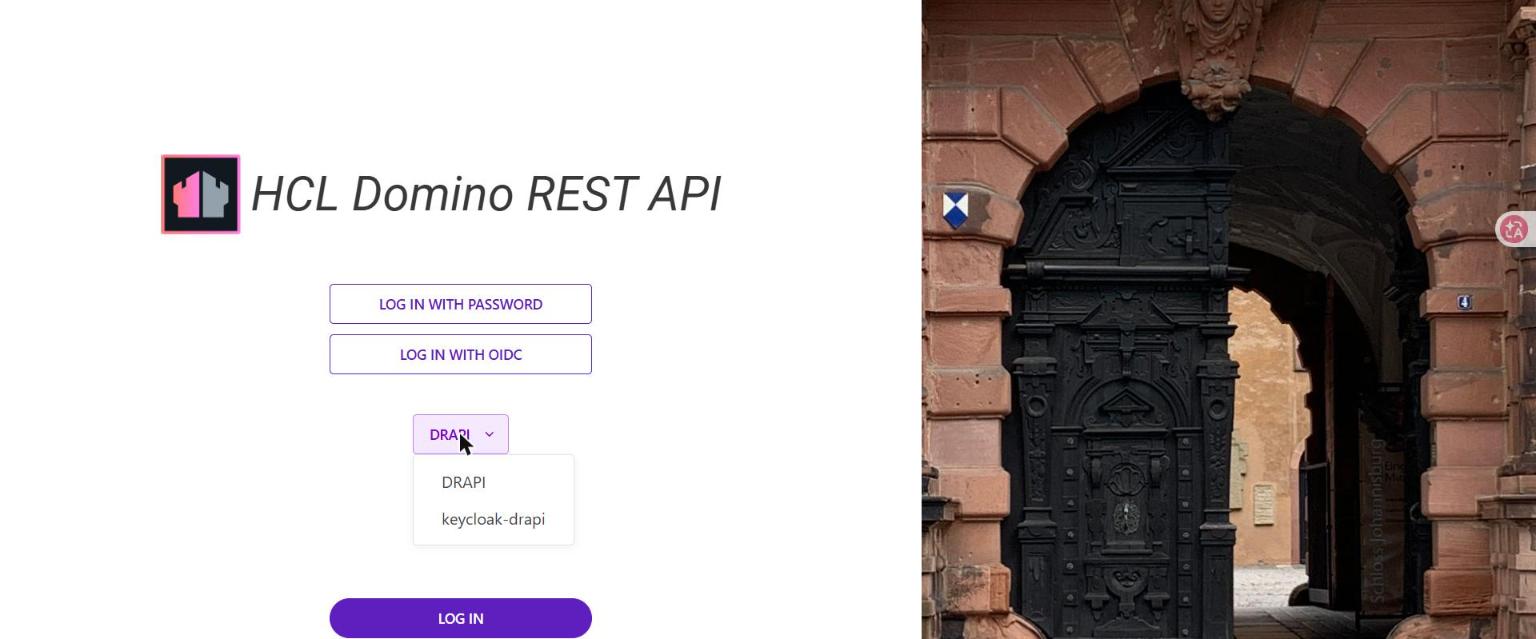
登入頁點 LOG IN WITH OIDC,下拉選 keycloak-drapi,按 LOG IN。
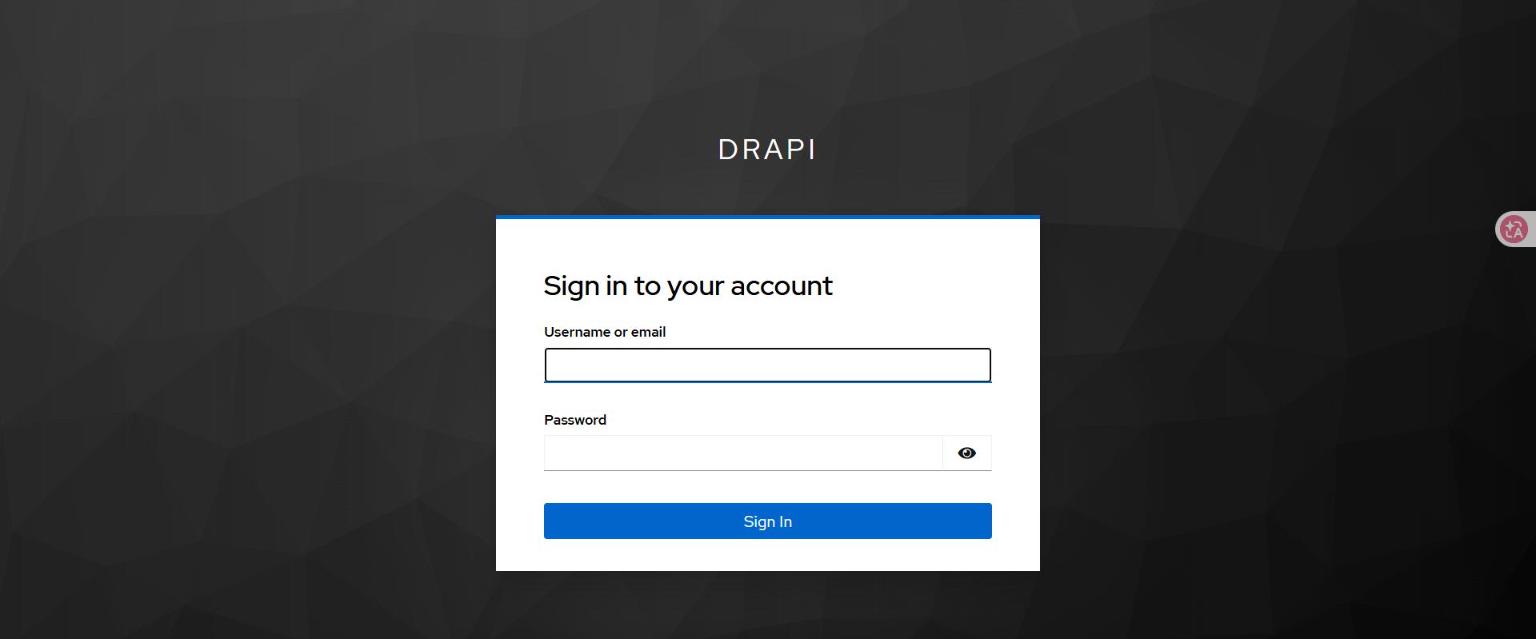
導向 Keycloak(網址為 http://<WSL_IP>:8080/realms/drapi/...,不再是 /admin/undefined):
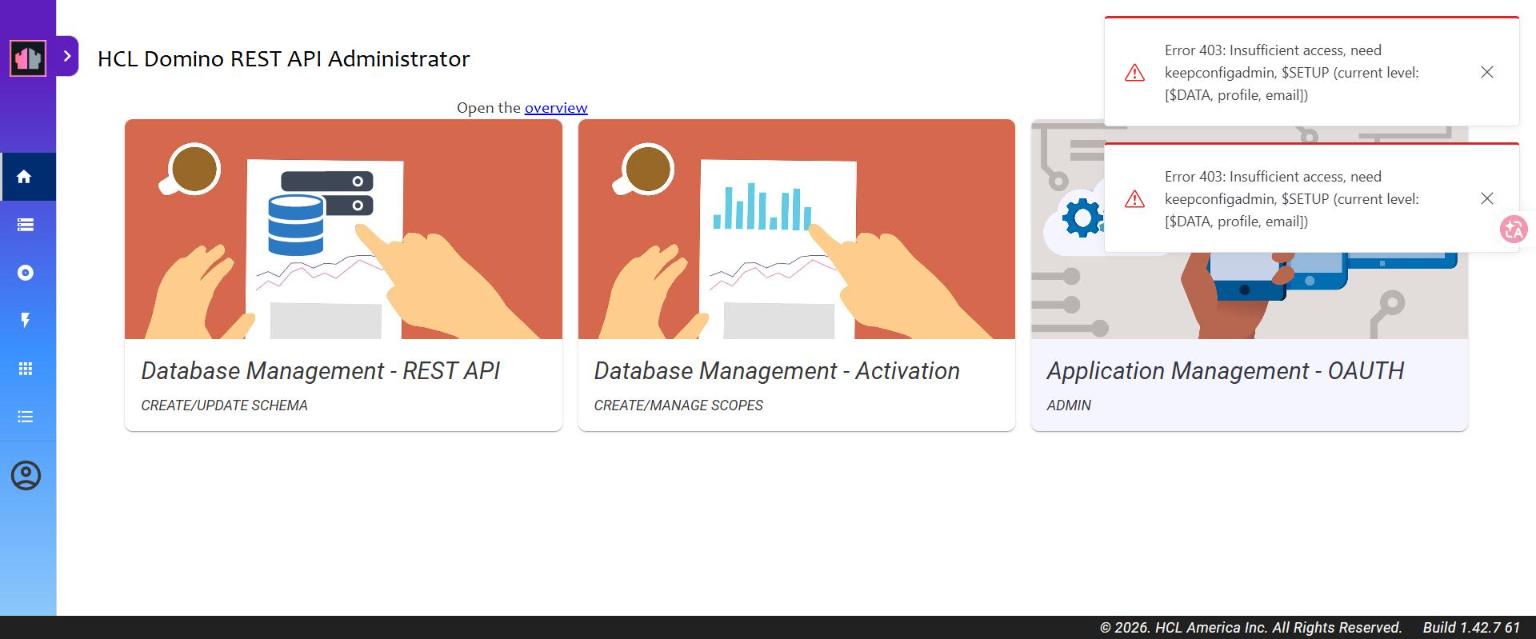
登入後成功進入 Admin UI。若出現下圖 403,屬於授權層(見階段六),不是認證失敗:
🕳️ 踩雷點 3:若登入頁下拉沒出現/選錯,瀏覽器 localStorage 會殘留壞掉的
oidc_config_url=-build in-, 導致Error initiating authorization request。清掉該網域 localStorage 重來即可。
階段六:身分對應 + 管理員授權
「登入成功且能用」是三個獨立的層,任一層斷掉都像「登入失敗」:
flowchart TD
    A["① 認證<br/>你是誰?"] -->|通過| B["② 身分對應<br/>對到哪個 Domino 人?"]
    B -->|通過| C["③ 授權<br/>能做什麼?(scope)"]
    C -->|通過| OK(["✅ 登入成功且可操作"])
    A -.->|斷| AF["導向 undefined / token 被拒 / Error fetching token"]
    B -.->|斷| BF["登入完成卻『查無此人 / 無權限』"]
C -.->|斷| CF["403 Insufficient access"]| 層 | 問題 | 連接方式 |
|---|---|---|
| 認證 | 你是誰? | OIDC(oidc 模式 + 外部 IdP)。OIDC 登入失敗常卡在這層。 |
| 身分對應 | 對應到哪個 Domino 人? | token claim ↔ Domino Person,靠 userIdentifier。使用者須存在於 Domino Directory。 |
| 授權 | 能做什麼? | token 要帶足夠 DRAPI scope。 |
6-1 身分對應(email ↔ Internet 位址)
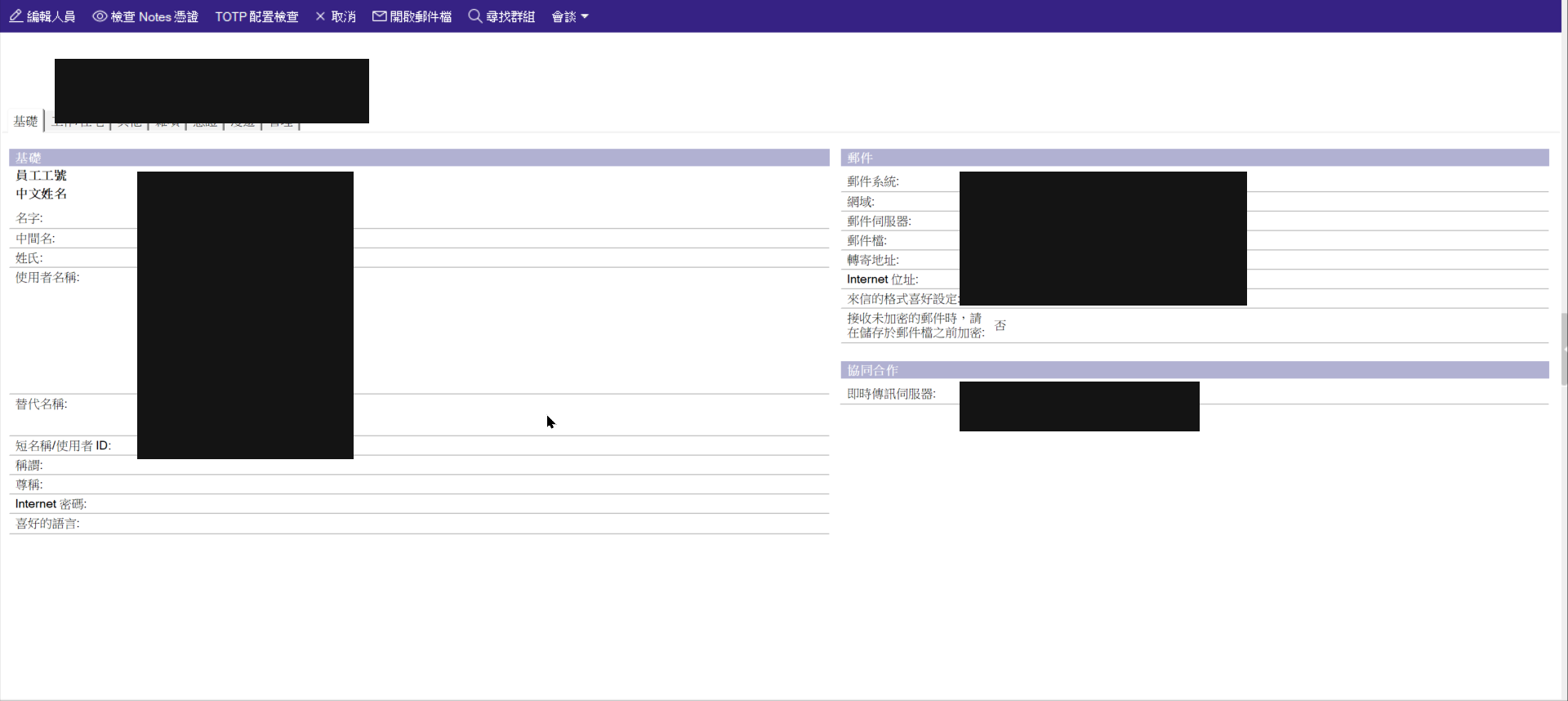
DRAPI userIdentifier: "email" → 用 token 的 email 去 Domino Directory 找 Internet 位址相符的人。
把 Keycloak 使用者 email 設成目標 Domino Person 的 Internet 位址即可。
6-2 管理員授權(scope)
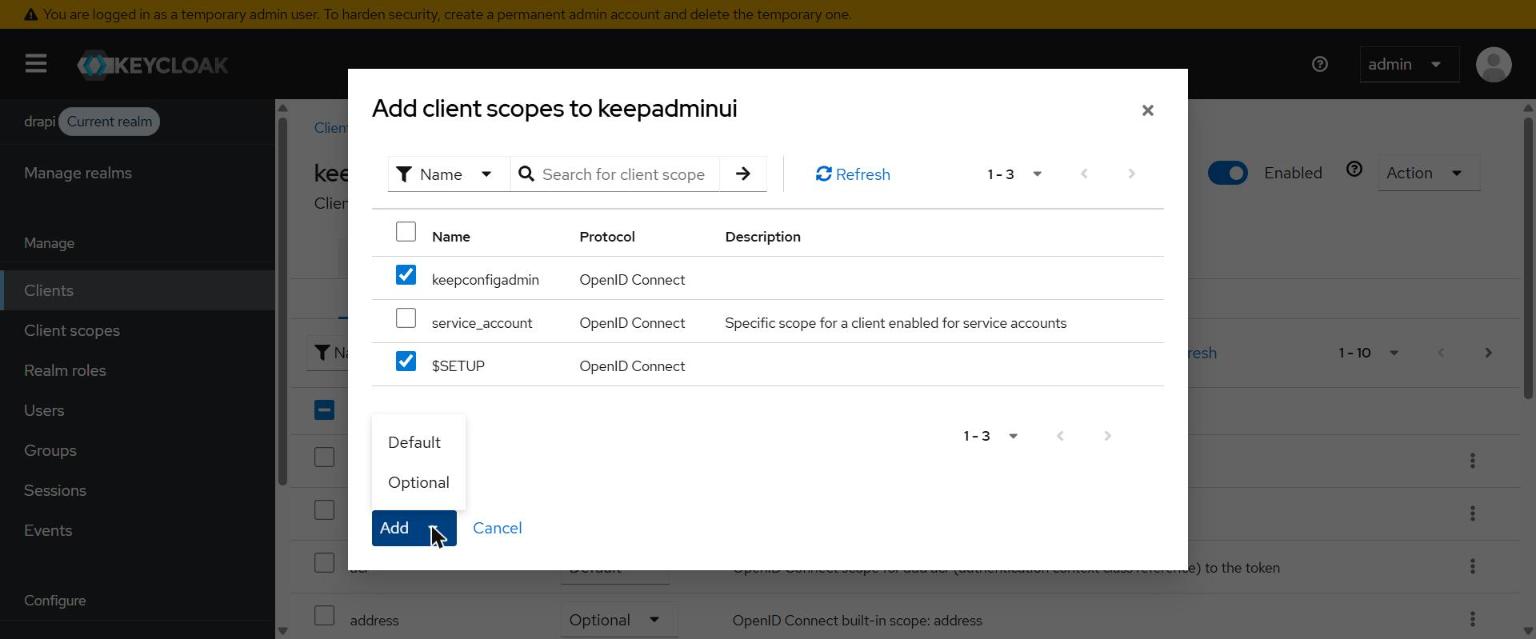
管理功能需 token 帶 $SETUP、keepconfigadmin。在 Keycloak 建立同名 client scope(Default + Include in token scope)。
🕳️ 踩雷點 4:Default 型 client scope 只會自動掛到「之後新建」的 client,不會回頭補到既有 client。
keepadminui比這兩個 scope 早建,所以要手動到keepadminui→ Client scopes → Add 進去。 ($DATA一開始就有效,是因為它在 keepadminui 之前建立。)
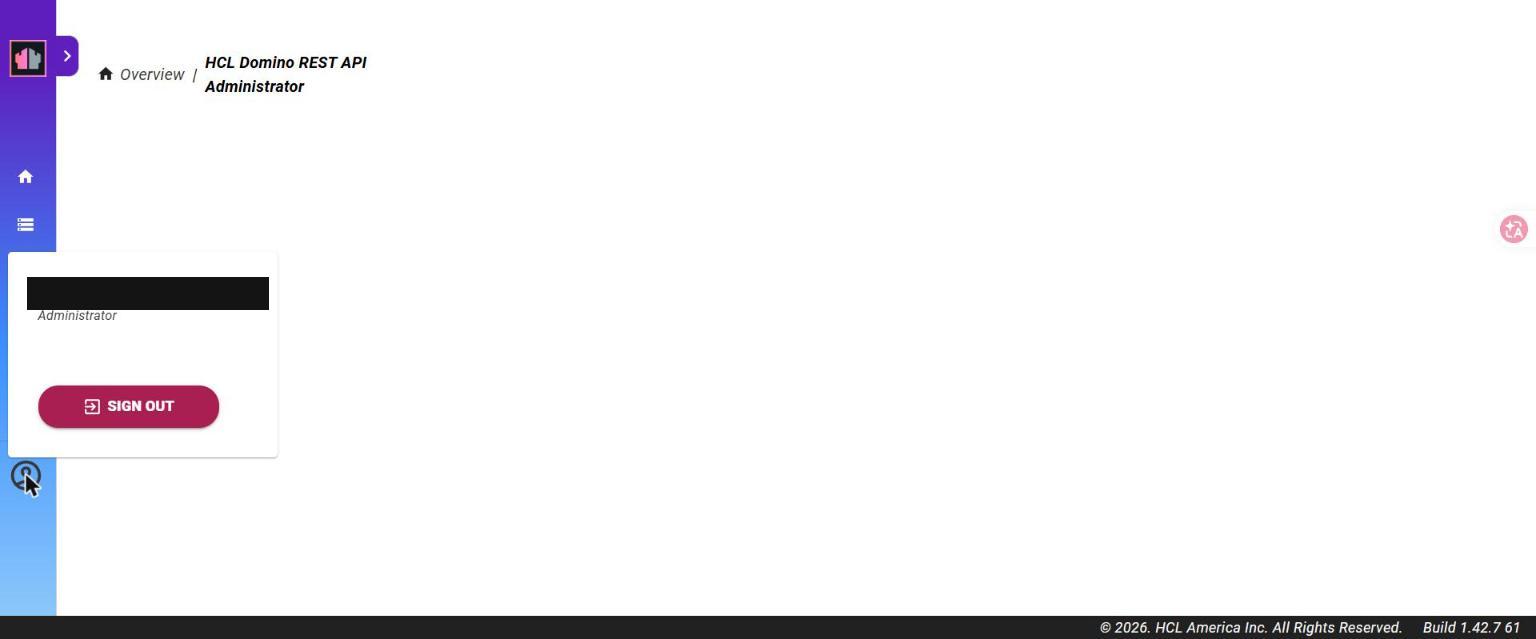
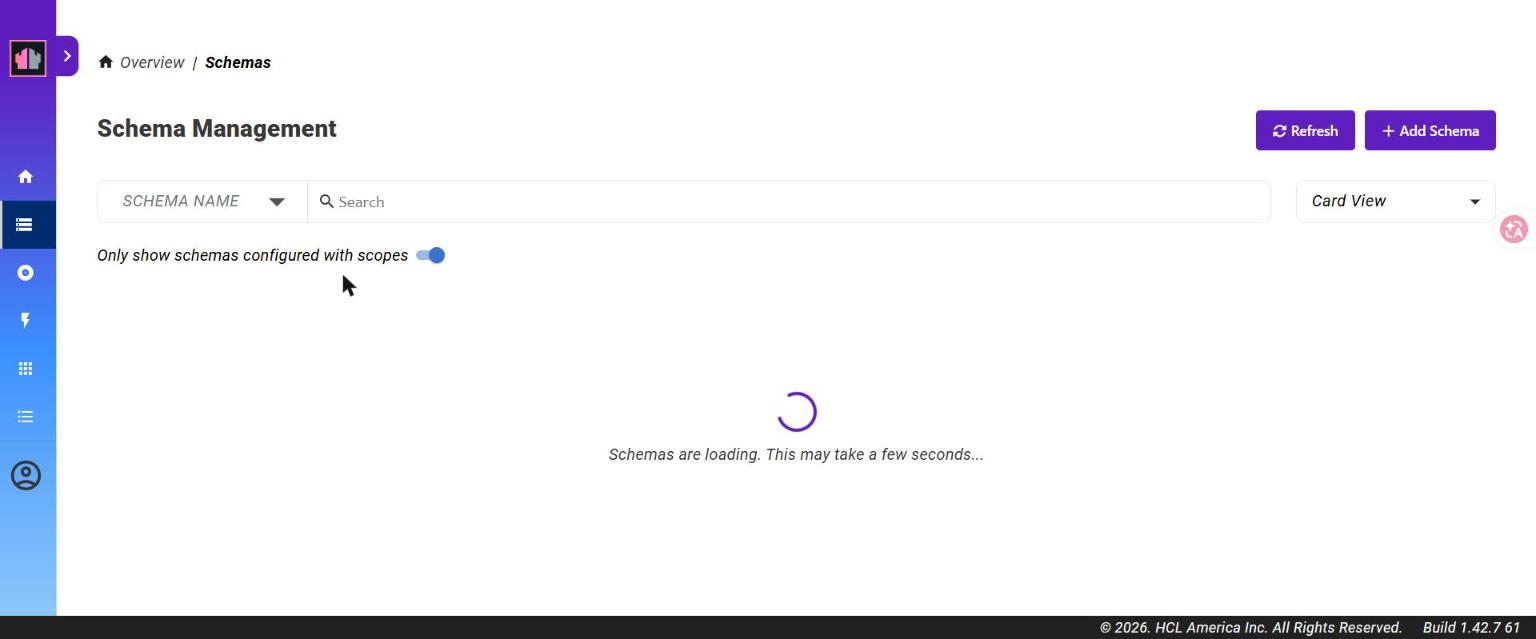
清掉瀏覽器 localStorage、重新 OIDC 登入後,403 消失、管理功能可用:
踩雷點總表
| # | 症狀 | 原因 / 解法 |
|---|---|---|
| 1 | 導向 /admin/undefined |
keepconfig 缺 adminui 區塊 |
| 2 | provider 不出現在 idpList | providerUrl 用了 localhost;改 WSL IP(Java 走 IPv4) |
| 3 | Error initiating authorization request |
localStorage 殘留壞掉的 oidc_config_url;清掉重來 |
| 4 | 登入成功但 403 need $SETUP/keepconfigadmin |
scope 沒掛到既有 client keepadminui;手動加 |
| — | (誤區)想在 IdP 設 CORS | OIDC 登入是 redirect + server 對 server,不受 CORS 管;CORS 設在 DRAPI 端 |
成果
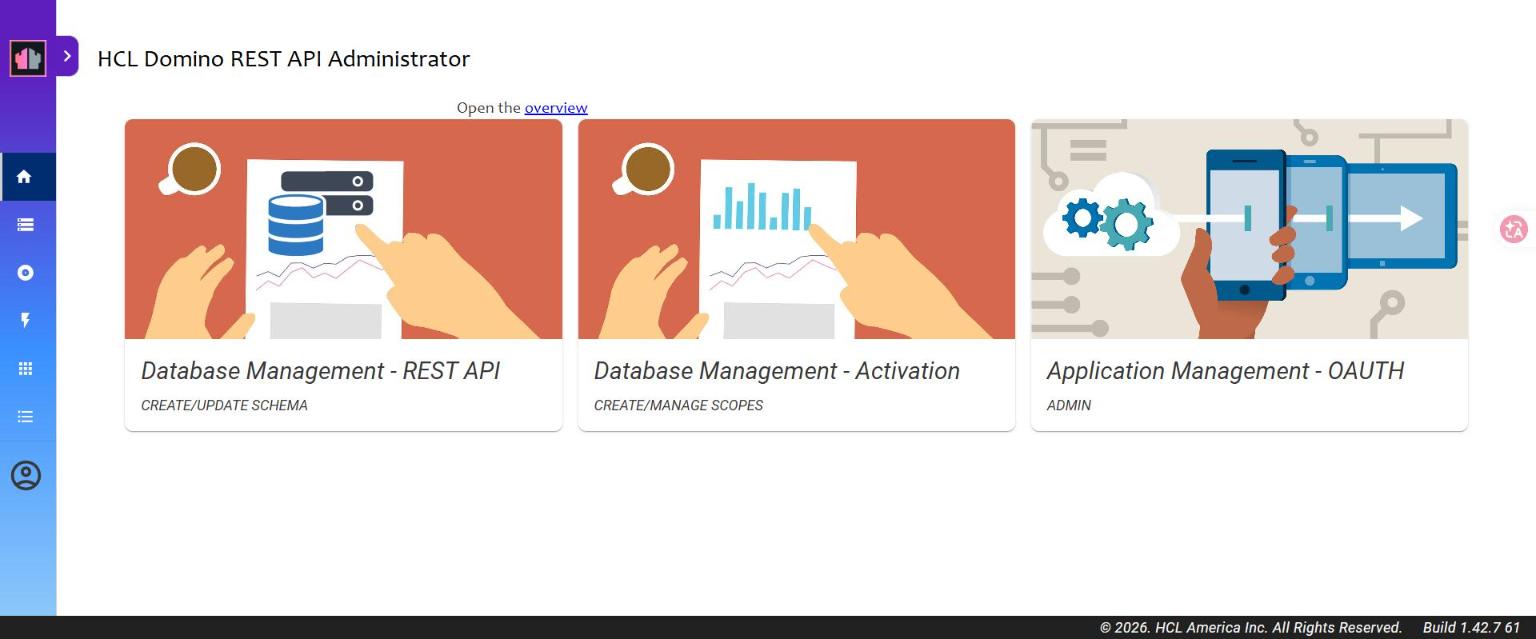
從零到 OIDC 登入成功、身分對應、管理員授權全部跑通:
參考
- 原廠文件:https://opensource.hcltechsw.com/Domino-rest-api/
- Configure DRAPI to use an OIDC provider / Configure Keycloak / Set up external IdP for Admin UI / Auth* 驗證參考