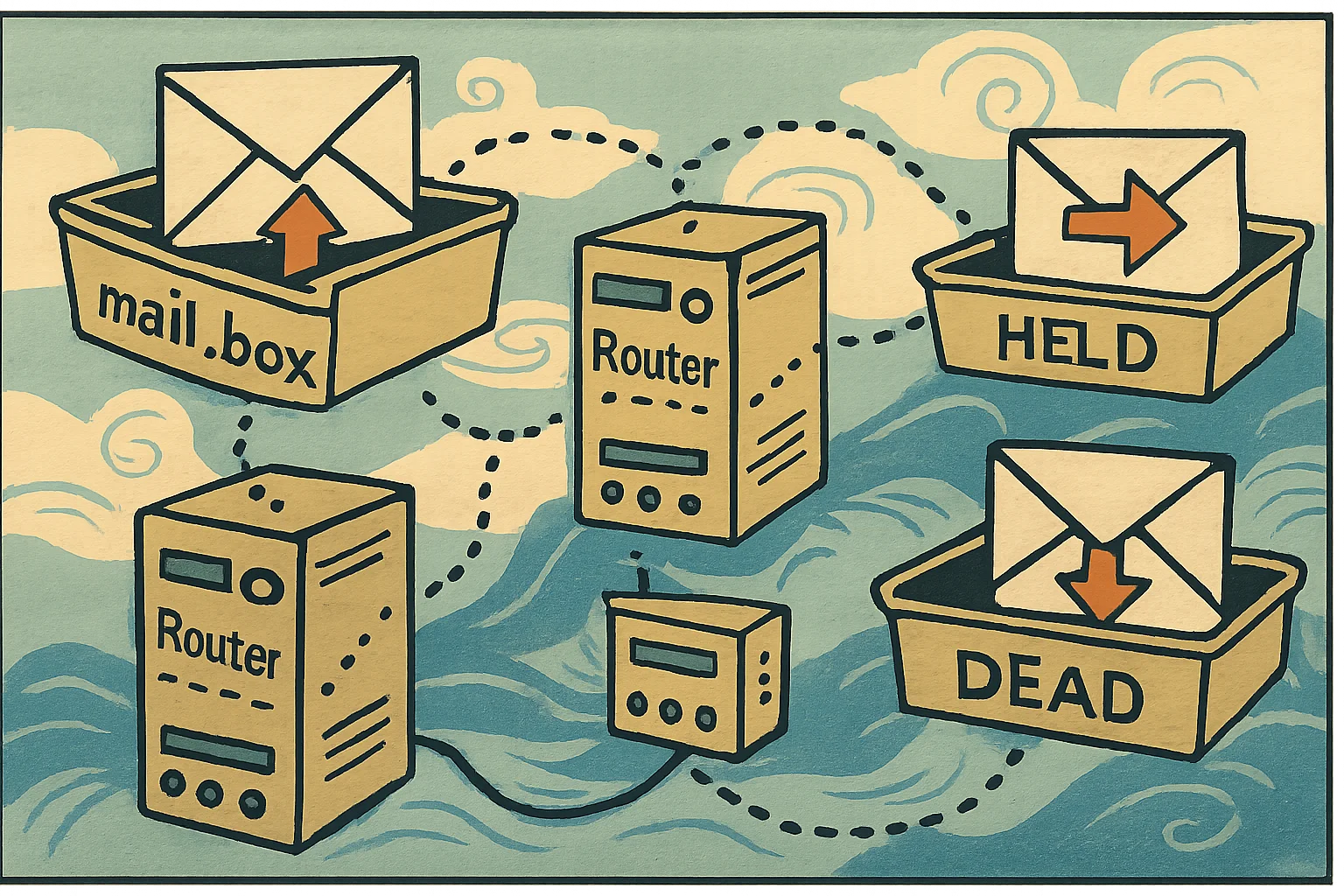
How a Message Routes Through Domino: It All Goes Through mail.box
A user clicks Send — where does the message actually go? In Domino, the start of the answer is always the same: every message first lands in a database called mail.box, and then the Router task reads the recipients one by one and decides the next step. Once you can see the chain from mail.box to the recipient’s mailbox, you know where to look when you’re chasing “why hasn’t it arrived” or “where’s this bounce stuck.”
TL;DR
- mail.box is the routing queue: a Notes database holding messages in transit. However a message arrives — from a Notes client, SMTP, or HTTP — it first goes into the sender’s home-server
mail.box. - The Router checks it periodically: the Router task “periodically checks MAIL.BOX for new or changed messages,” reads each message’s recipients, consults its routing table for the next hop per recipient, and decides deliver locally or transfer to the next server.
- Two protocols: the default is Notes routing (NRPC) — it moves the message into the next-hop server’s
mail.box, and that Router passes it on until the recipient’s home server. SMTP is optional (off by default); in its default MIME-only mode it sends only MIME messages (an All-messages mode converts instead), uses DNS MX, connects on port 25, and is enabled on the Router/SMTP → Basics tab of the Configuration Settings document. - Delivery vs retrieval: on the recipient’s home server, the Router delivers the message into their mail file; the user then retrieves it with Notes RPC / IMAP / POP3 / HTTP.
- Stuck in mail.box:
mail.boxcan hold two kinds of undeliverable message — dead (stop-sign icon: can be neither delivered nor returned to the sender) and held (red exclamation: held by a mail rule or quota). On a server with severalmail.boxfiles, note that “resend all” affects only the current one.
mail.box: where every message starts
mail.box is a database on a Domino mail server that holds messages in transit. However a message comes in — a Notes client over Notes protocols, external mail over SMTP, the web over HTTP — the first step is the same: it’s deposited into the sender’s home-server mail.box.
One server can run several mail.box files (in the mail.box view you’ll see mail1.box, mail2.box, …). The point of multiple boxes is to reduce contention: if many clients depositing mail and the Router pulling mail out all hit one database, they block each other; splitting into a few spreads the load. Just remember when managing them — operations like the “resend all” below act only on the box you currently have open; messages in the other boxes aren’t touched.
How the Router decides the next step
The Router task’s work cycle is simple (official: The Domino mail router): “periodically checks MAIL.BOX for new or changed messages.” For each message it finds, it reads the recipient list and, per recipient, asks: is that mail file local?
- Local → deliver straight to that mail file.
- Not local → transfer to the destination server’s
mail.box.
How does it know where to send? The Router “checks its routing table to calculate the next ‘hop’” per recipient; that routing information comes from the Domino Directory (which “contains almost all of the essential information required for routing mail”). Servers within the same Notes named network using Notes routing “automatically transfer mail among themselves” — directly; for anything beyond that, Domino works out the route and whether to use SMTP or NRPC.
Two protocols: NRPC hop-by-hop vs SMTP
With the next hop worked out, the Router picks a protocol to send it:
- Notes routing (NRPC, default): it moves the message into the next-hop server’s
mail.box, and that server’s Router repeats the same steps, hop by hop, until the recipient’s home server. Notes rich text generally takes this path. - SMTP (optional): off by default, enabled on the Router/SMTP → Basics tab of the Configuration Settings document. In the common MIME-only mode, only messages already in MIME go over SMTP (Notes rich text still takes NRPC); there’s also an All messages mode that converts Notes format to MIME first and sends it over SMTP (at a fidelity and performance cost) — so don’t assume “SMTP never touches Notes format.” To send, it uses DNS MX records to find which server accepts mail for the domain and connects on port 25. Note the division of labor: the SMTP listener only receives inbound mail and drops it into
mail.box— the subsequent transfer/delivery is still the Router’s job.
In a sentence: NRPC is the box-to-box hop relay between Domino servers; SMTP is how it talks to the outside world (or everything, if you configure all mail over SMTP).
Delivery vs retrieval
Once the message has hopped all the way to the recipient’s home server, the Router delivers it into the recipient’s mail file (official: how mail routes in a Domino system). That’s where the Router’s job ends — how the user then sees the message is a separate matter: a Notes client uses Notes RPC, others use IMAP / POP3 / HTTP to pull it from that mail file.
So “did it arrive” has two stages to separate: did the Router deliver it into the mail file (a routing problem) versus did the user’s client pull it down (an access problem) — where it’s stuck decides where you look.
Stuck in mail.box: dead and held
mail.box can hold two kinds of undeliverable message, and the icon tells them apart (official: managing undeliverable mail in MAIL.BOX):
- dead (stop-sign icon): a message goes dead when the Router can neither deliver it nor return the failure report to the sender. HCL’s example: the recipient’s address is wrong and the sender’s mail server is unavailable — both ends fail, so the message dies in the box.
- held (red exclamation): Domino accepted the message but deliberately won’t deliver it — it stays in
mail.boxuntil an administrator releases it. Two common sources (officially two separate mechanisms, not one flag): a mail rule (a server rule matched, and Domino sets the message’s routing state toHeld), and quota (when the recipient’s mail file is over quota under Hold and Retry, the mail is held; afterMailTimeout— a notes.ini setting, default 1 day — it’s returned to the sender as undeliverable).
One more thing: undeliverable mail is very often “there’s no such local recipient.” If that kind of message spikes, it’s often spam running a dictionary attack guessing account names at your domain — a signal worth watching in itself.
How to handle it: in mail.box you can correct the addresses, release, or delete. HCL’s caution: check the From / Recipients fields before releasing — if From or the recipients are blank or invalid, or the failure reason points to a null SMTP reverse path, delete rather than release (releasing won’t help, it’ll still fail). The console Show Server command reports the dead-mail count; if there are any, go to mail.box and deal with them. And again: on a server with several boxes, “resend all” releases only the box you currently have open.
Wrap-up
- The start: every message first enters the sender’s home-server
mail.box(the in-transit queue); one server can run severalmail1.box/mail2.boxto reduce contention. - The Router: periodically checks
mail.box, decides per recipient “deliver locally” or “transfer on,” with routing info from the Domino Directory. - Protocols: default NRPC (box→box hop by hop to the home server); SMTP optional, MIME only, DNS MX, port 25, enabled on the Router/SMTP tab; the SMTP listener only receives, the Router still transfers.
- Delivery vs retrieval: the Router delivers into the mail file, then the user pulls it with RPC/IMAP/POP3/HTTP — two stages to check separately.
- Stuck mail: dead (neither delivered nor returned) vs held (a mail rule setting routing state
Held, or the quotaMailTimeoutmechanism — two separate things); check From/Recipients before releasing, delete if invalid; “resend all” only affects the current box.
Sources
- How mail routes in a Domino system (the whole path: deposited in mail.box → Router consults the routing table for the next hop → NRPC/SMTP → delivered on the home server) — HCL Domino (official)
- The Domino mail router (Router periodically checks mail.box, deliver locally vs transfer, servers in one Notes named network transfer among themselves, dead vs held) — HCL Domino (official)
- Managing undeliverable mail in MAIL.BOX (dead/held causes, mail rule RoutingState=HOLD, quota MailTimeout, correct/release/delete, resend all affects only the current mail.box) — HCL Domino (official)